How do I add a loan's covenants?
- In Lender tools, click the loan.
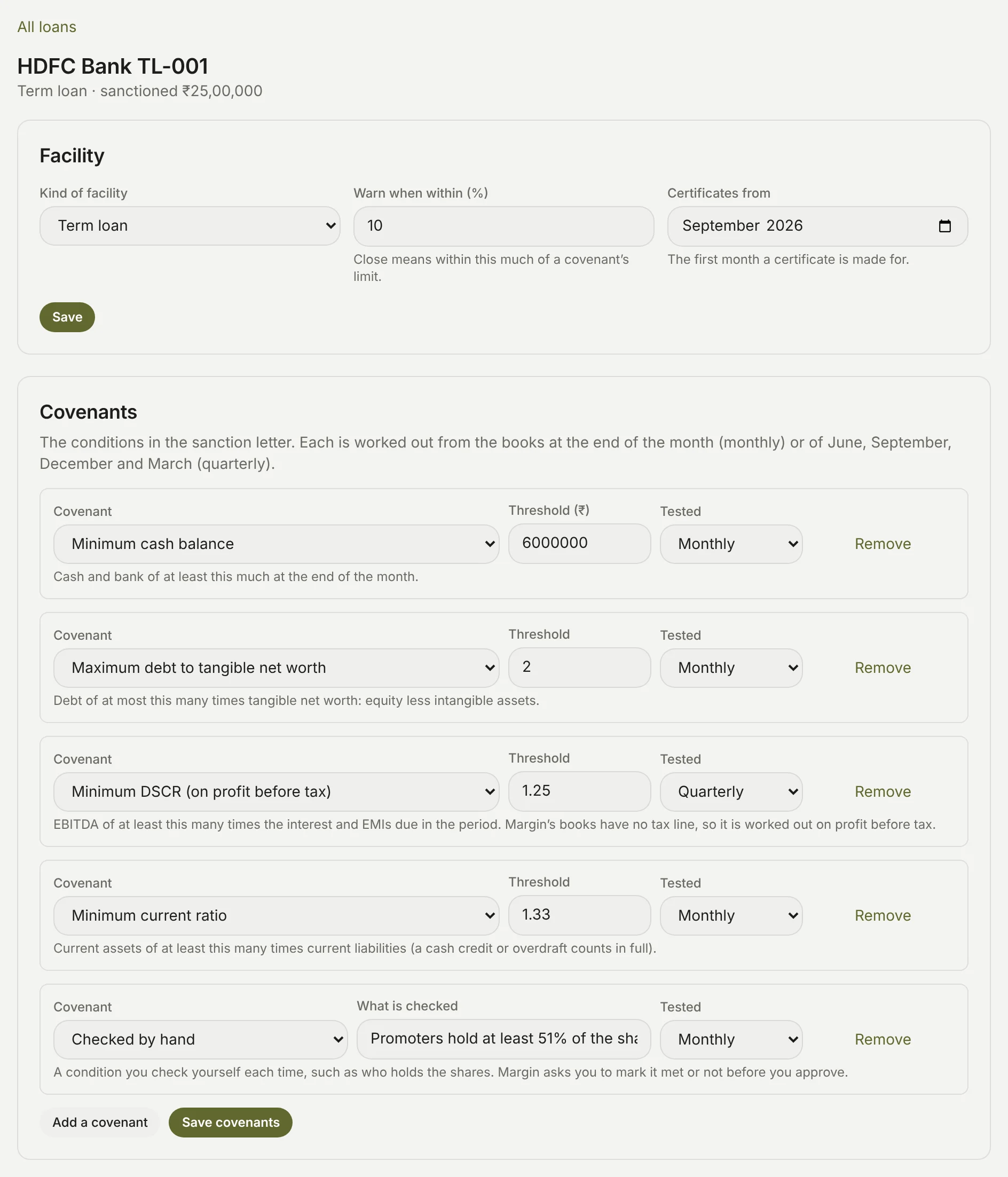
- Under Covenants, click Add a covenant for each condition in the sanction letter, and choose which it is (the covenants Margin works out).
- Type its Threshold: an amount in rupees for a minimum cash balance, or a number of times for a ratio, such as 2 or 1.25. For one checked by hand, type What is checked instead.
- Choose when it's Tested: Monthly, at the end of every month, or Quarterly, at the end of June, September, December and March.
- Click Save covenants.
To take one off, click Remove beside it, then Save covenants. Above the covenants, the Facility card has:
- Kind of facility: Term loan, Cash credit or Overdraft (cash credits and overdrafts).
- Warn when within (%): how near its limit a covenant counts as Close, 10% unless you change it (what Close means).
- Certificates from: the first month a certificate is made for. Left empty, it's the newest month you've locked when you first save the covenants.
Click Save on the card to keep a change there. Saving the covenants or the card works the loan's draft certificates out again; approved ones stay as they are.