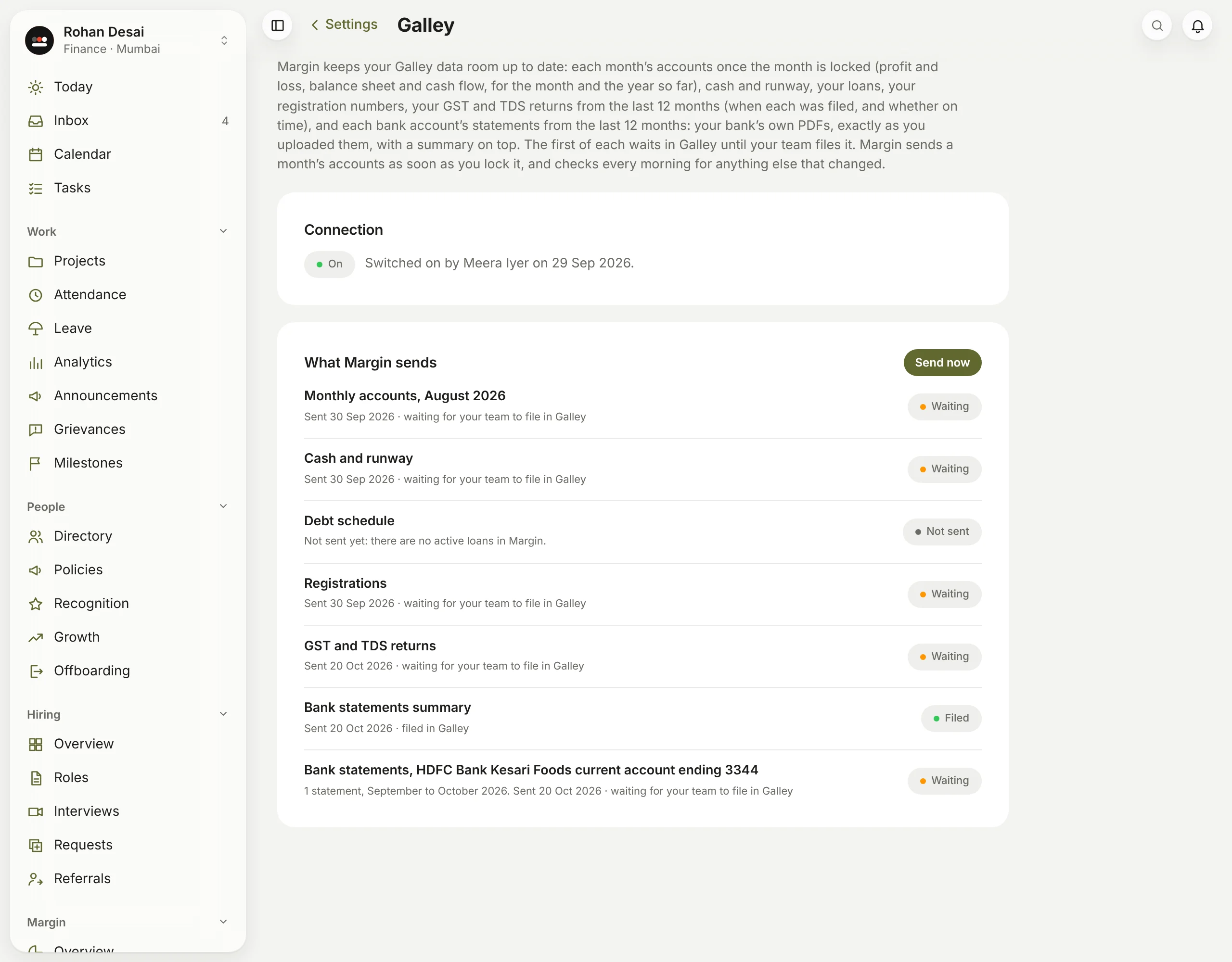
What do the lines in Settings → Galley mean?
Settings → Galley shows anyone who can see the books whether the connection is on, and each document Margin sends with what happened to it last time:
- On: "Switched on by" whoever switched it on, and when. Off: nothing is sent; Open your 1936 AI account takes an owner or admin to switch it on. Paused: Margin is read-only, so nothing is sent.
- Waiting: "Sent 30 Sep 2026 · waiting for your team to file in Galley". It's in Galley's Inbox.
- Filed: Galley put it in the data room, because your team ticked Keep this updated.
- Unchanged: Galley already had exactly this file.
- Not sent, and why: not sent yet because there's nothing in it yet, or a problem, such as "We couldn't reach Galley just now", which is tried again the next morning, or click Send now.
Each bank account's statements are one line, such as "3 statements, August to October 2026". Each line shows what Galley said at the last send, so a document your team has filed since still says Waiting until its next version goes. If your company has Masthead too, admins see a part for each, named Masthead to Galley and Margin to Galley.
Admins also see every send in Settings → Audit log, as documents sent to Galley from Margin, with who locked the month or pressed the button.