How do I share documents with a lender?
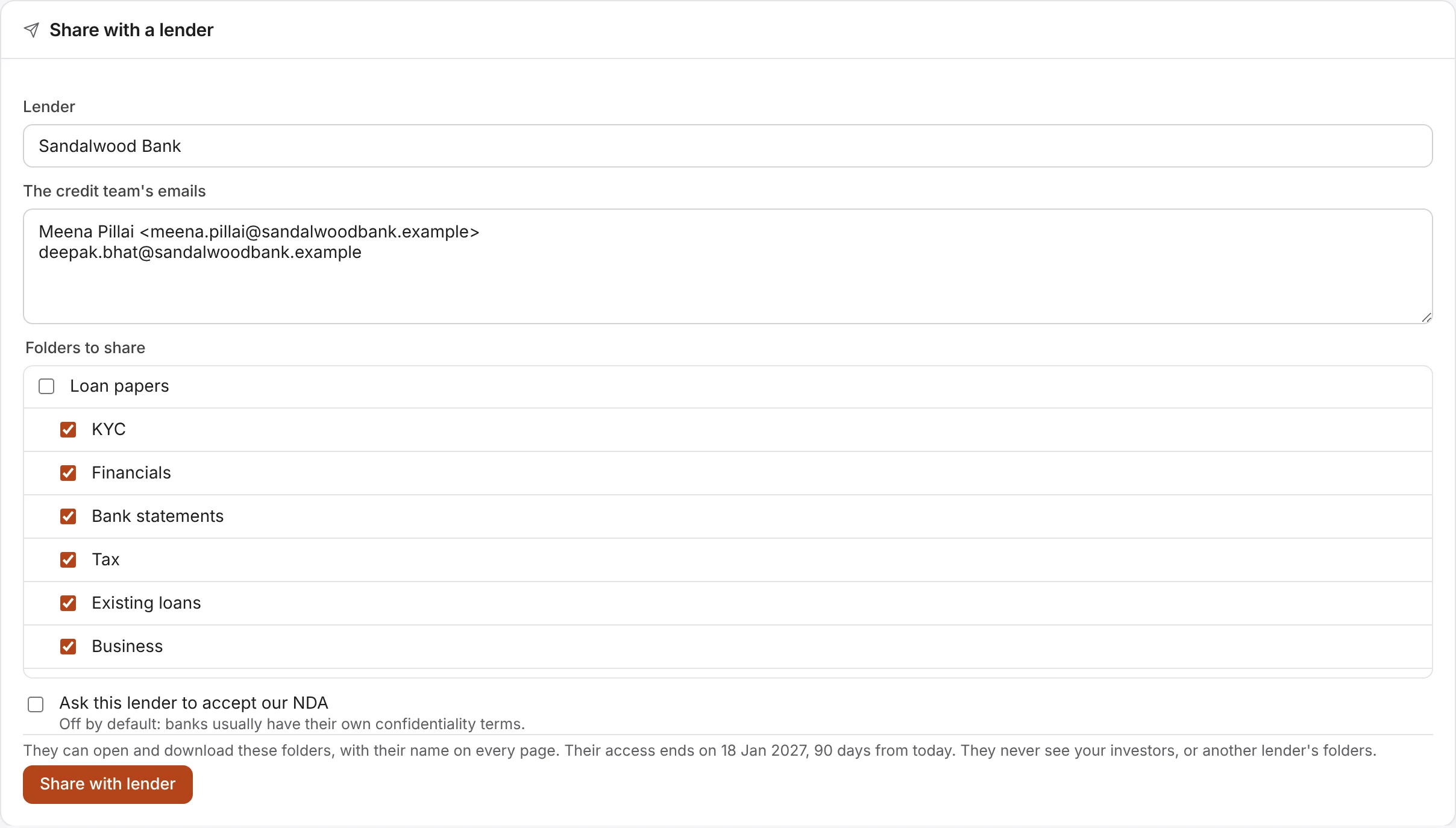
On the Lenders page (or the Investors page), fill in Share with a lender:
- Lender: the bank or fund's name. Galley keeps everyone from it together.
- The credit team's emails: one per line, with names if you like, such as Rahul Mehta <rahul@bank.example>.
- Folders to share: the loan folders are ticked to begin with. Tick or untick any folder in your room.
- Ask this lender to accept our NDA: unticked to begin with (see do lenders have to accept our NDA?).
Then choose Share with lender. Each person gets an email with a link to join, which works for 14 days. They can open and download those folders, with their name on every page, and their access ends 90 days from that day. To change a date, use Access ends on on their Manage access page, as for an investor.
To add people or folders later, share again under the same lender's name: everyone from it stays together, and people already in keep their access. You can share with up to 100 people at a time. Someone already invited as an investor, or for another lender, isn't added.