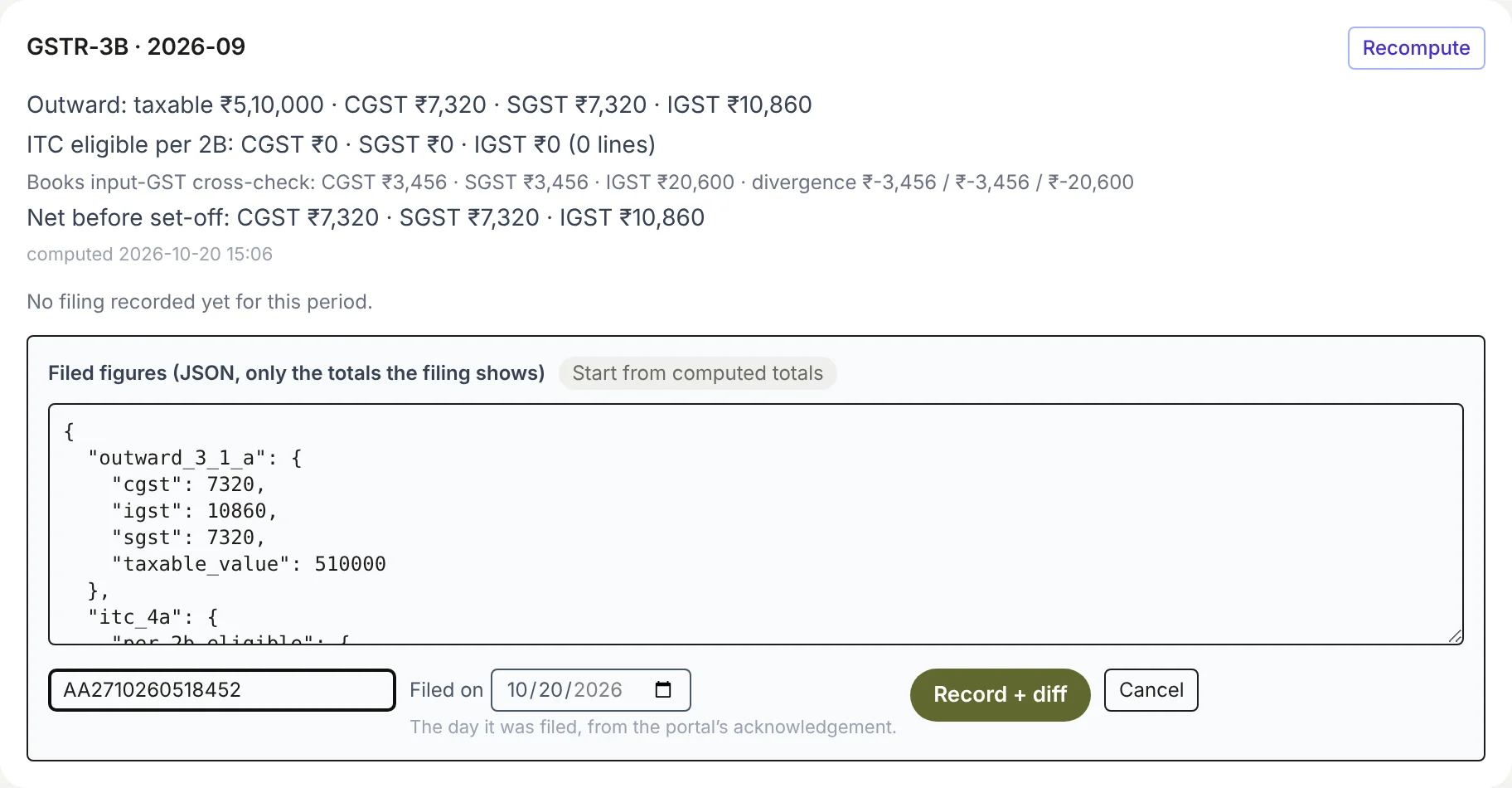
How do I record a return the CA filed?
- Open Books → Compliance and click the return in the grid: GSTR-1 or GSTR-3B for a month, or 24Q or 26Q for a quarter.
- If Margin hasn't worked it out yet, click Compute now.
- Click Record what the CA filed….
- Click Start from computed totals. The box fills with Margin's own totals, written in a format Margin reads (JSON); change only the numbers the CA filed differently.
- Type the ARN or acknowledgement number.
- Set Filed on, the day it was filed, from the portal's acknowledgement.
- Click Record + diff. Margin shows the CA's figures beside its own, and whether they agree.
Admins, finance and board members can record a filing. Once recorded, the button says Replace recorded filing…, with the day it was filed beside it.