How do I set up reporting once a loan is sanctioned?
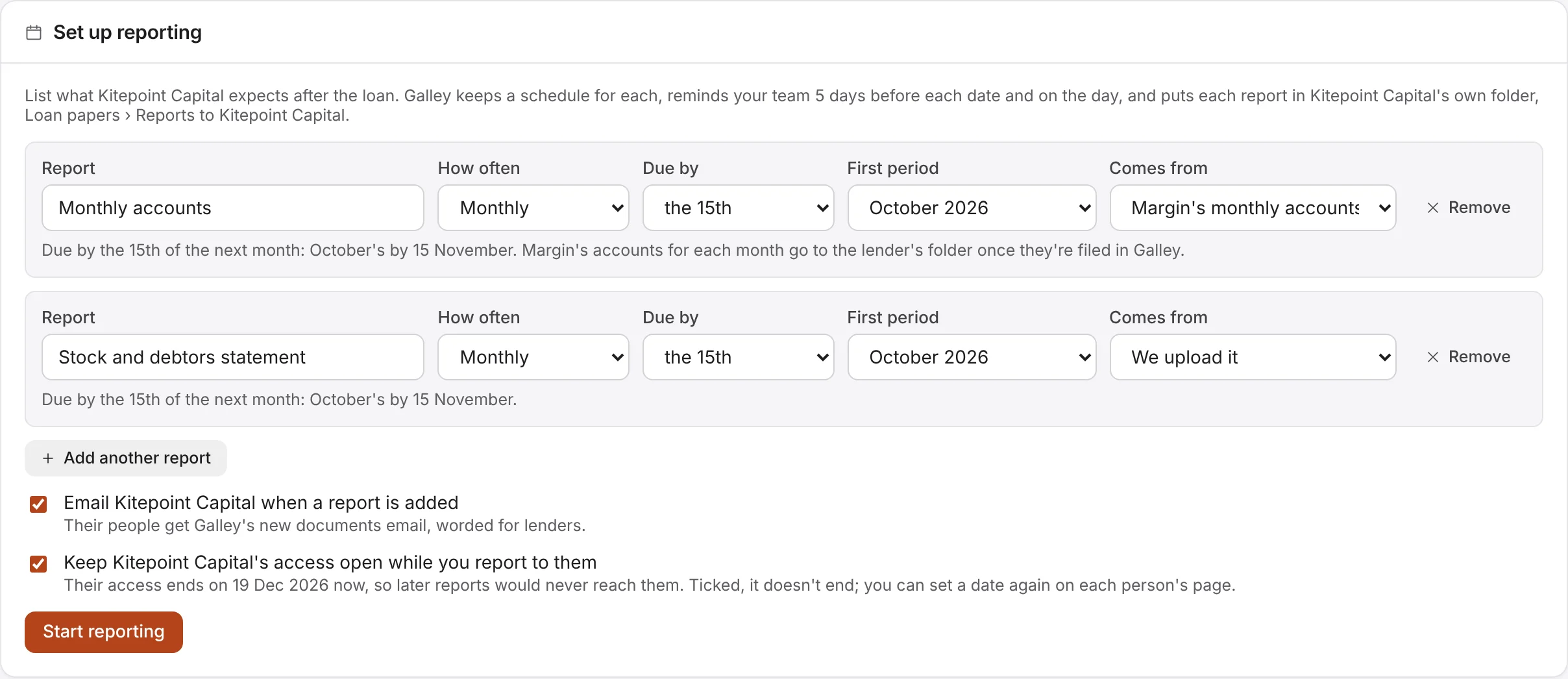
Move the lender to Sanctioned or Disbursed in the loan tracker, then choose Set up reporting on its card. List each report the lender expects:
- Report: its name. Pick Monthly accounts, Stock and debtors statement or Covenant certificate, or type your own.
- How often: monthly, or quarterly. Quarters start in January, April, July and October.
- Due by: the day of the month after the period that it's due by, such as the 15th. In a month without that day, it's the last day.
- First period: the first month or quarter it covers.
- Comes from: We upload it, or Margin's monthly accounts once Margin sends documents to Galley.
Add up to 10 reports, then choose Start reporting. Galley keeps a schedule for each report, and makes the lender's own folder inside Loan papers, called Reports to and the lender's name, which only that lender can open and download. Two ticks come with it: email the lender when a report is added, and keep the lender's access open.