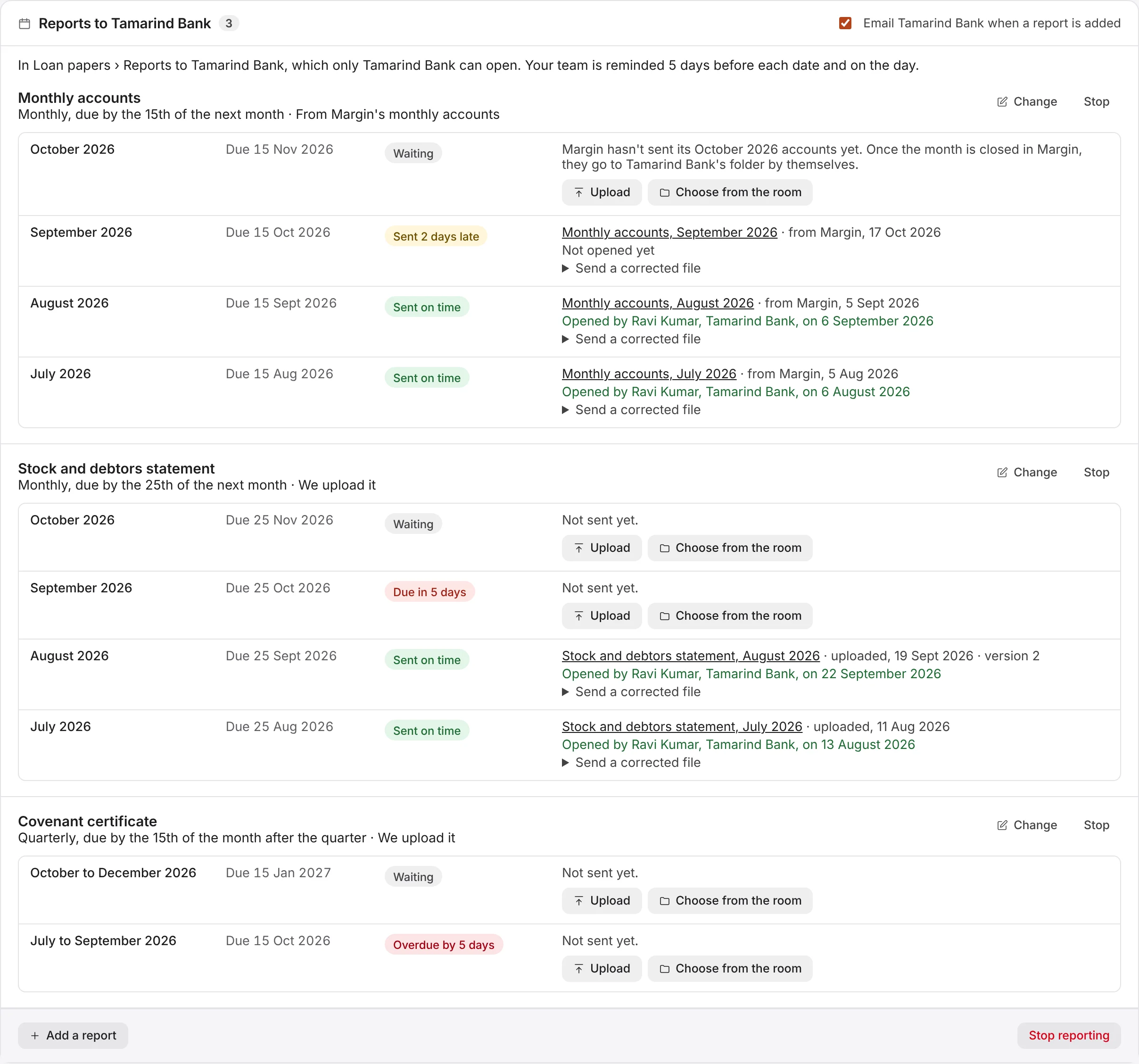
How do the schedule and its statuses work?
The lender's page lists each report with a row for every period that has begun, newest first. A monthly report's October row appears in October, due in November. Each row shows when it's due (by the end of that day, India time) and where it stands:
- Waiting: not due within a week.
- Due in 5 days, Due tomorrow or Due today: due within a week.
- Overdue by a number of days: the date has passed and nothing was sent.
- Sent on time, or Sent 2 days late, for example: when it was first sent.
A sent row links to the lender's copy, says how it was sent (uploaded, chosen from the room, or from Margin), when, and which version it's on, and shows when someone from the lender first opened or downloaded it, or "Not opened yet". Only your team sees this page.