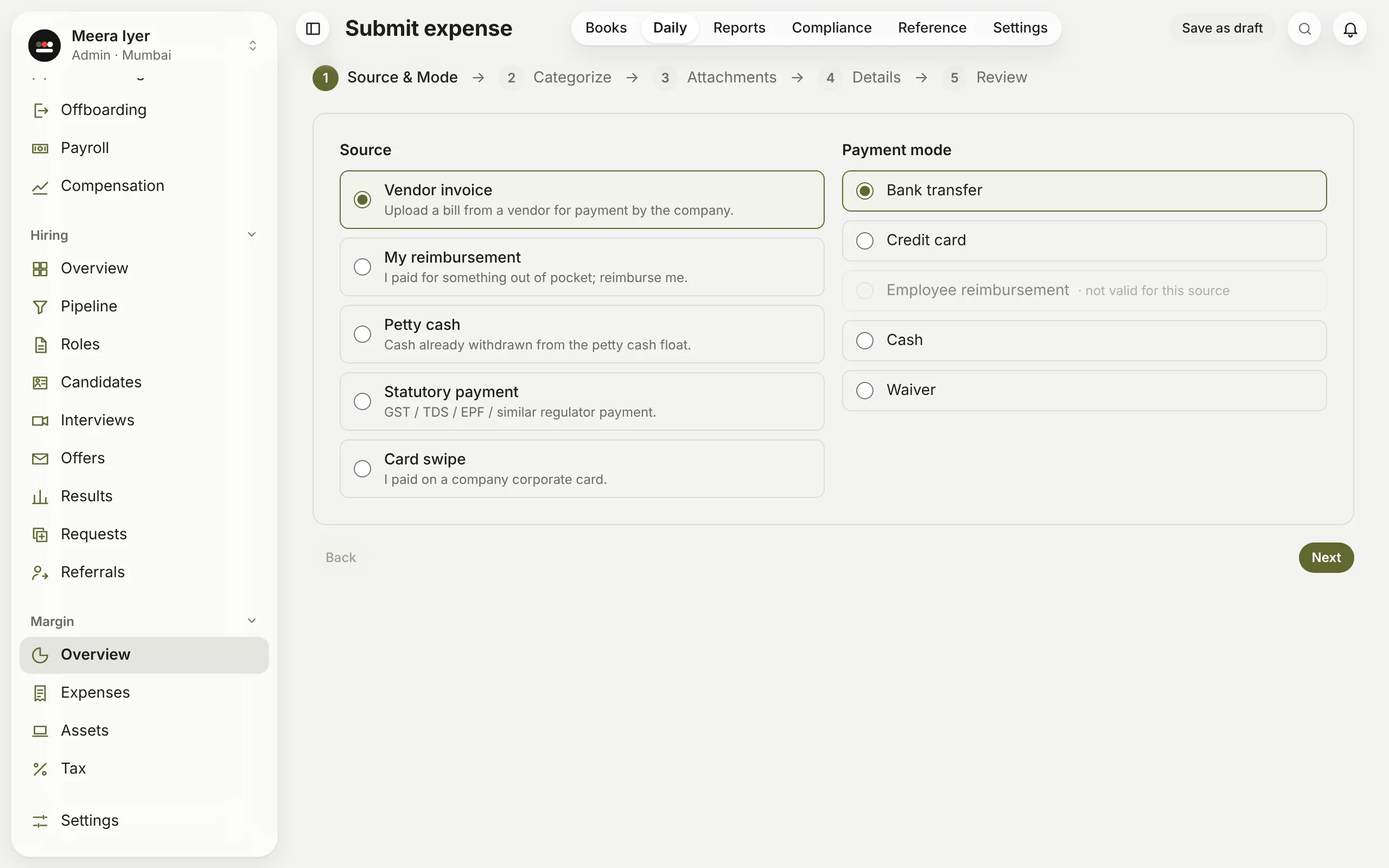
How do I enter a bill or an expense?
- Click New expense (or Daily → Submit expense).
- Choose where it came from: a vendor's invoice, your own reimbursement, petty cash, a statutory payment (GST, TDS, PF and the like) or a company card. Then how it is paid: bank transfer, card, cash, employee reimbursement or a waiver.
- Pick the company and cost head.
- Attach the bill: a PDF or a photo. Vendor invoices and card swipes need one.
- Fill in or check the vendor, invoice number and date, the amount before GST, the GST rate and any TDS.
- Review it, tick Not customer-allocated to confirm the bill isn't for a particular customer's project, and submit.
It goes to the right approver by its amount. Save it as a draft to finish later.