Can emails to investors come from our own domain?
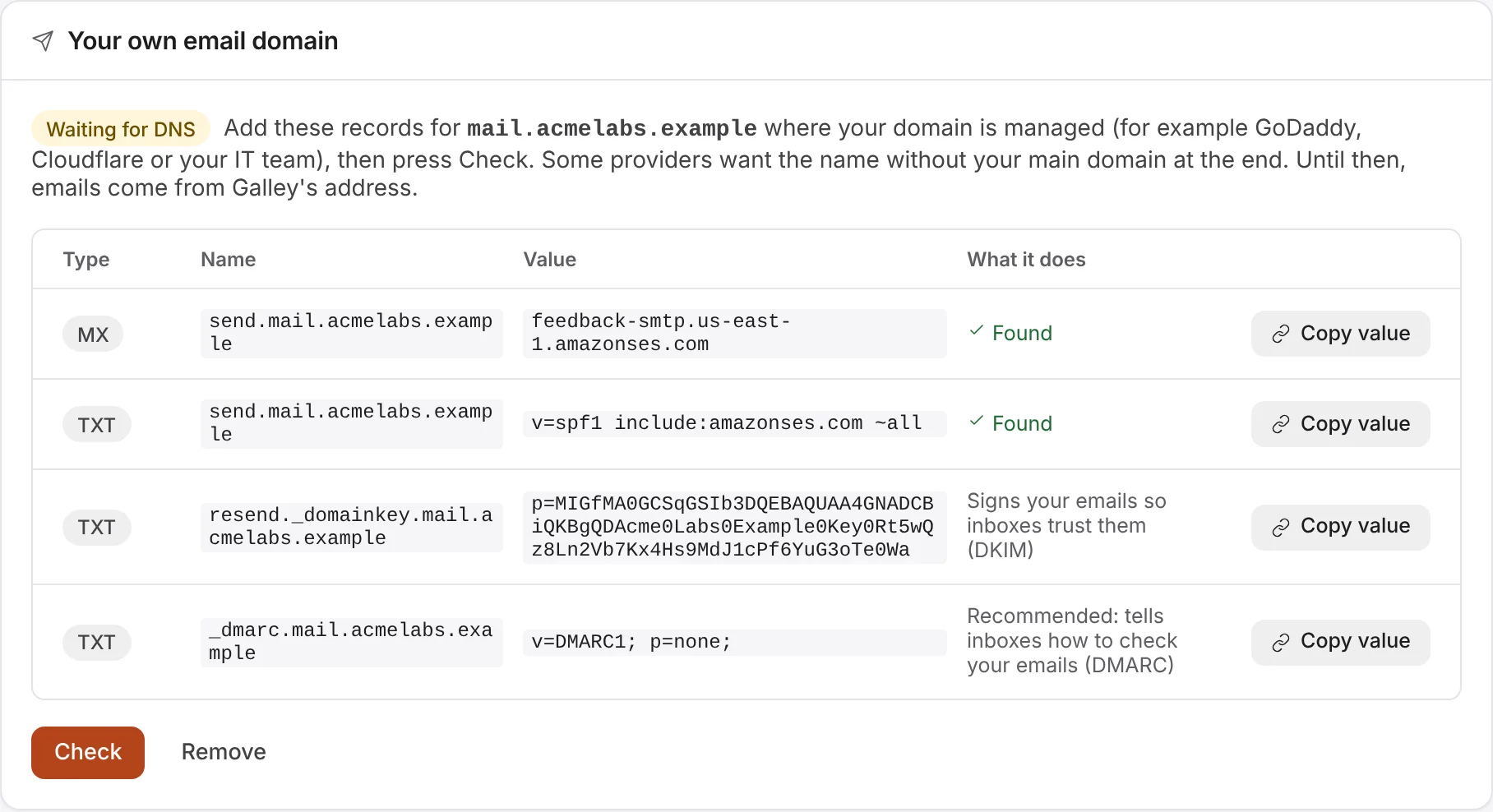
Yes, on the Pro plan, and as an add-on to any other plan. Your emails to investors and your team then come from an address on your domain, such as dataroom@mail.yourcompany.com, with the name in Emails come from. Owners set it up in Company settings (click your picture at the top right, then Company settings), under Your own email domain:
- Type the domain in Your email domain. Best a new sub-domain, like mail.yourcompany.com, so setting it up can't affect the email you already send and receive.
- Type the address emails come from, on that domain, in Emails come from, and choose Use this domain.
- Galley shows three or four records to add where your domain is managed (for example GoDaddy, Cloudflare or your IT team): SPF, which lets Galley send email for your domain, one that handles emails that bounce, DKIM, which signs your emails so inboxes trust them, and a recommended DMARC record, which tells inboxes how to check your emails. Use Copy value for each. Some providers want the name without your main domain at the end.
- Choose Check. DNS changes can take a few hours to reach everyone; until the records are found, the page says Waiting for DNS and emails come from Galley's address.
- Once they're found, it says Live, and your emails come from your address. Change address changes it later.
Sign-in codes always come from Galley's address, as do the emails sent in their place when an email has no data room or its access has ended. Invoices, receipts and emails about your plan come from 1936 AI.