How do I add a chat channel?
- In the chat app, make an incoming webhook for the channel and copy its address:
- Slack: make an app at api.slack.com/apps, switch on Incoming Webhooks, add one for your channel and copy its address. It starts with https://hooks.slack.com/services/.
- Microsoft Teams: open the channel's Workflows, choose "Post to a channel when a webhook request is received", and copy the address it gives you.
- Google Chat: open the space's Apps and integrations, then Webhooks, add one and copy its address. It starts with https://chat.googleapis.com/.
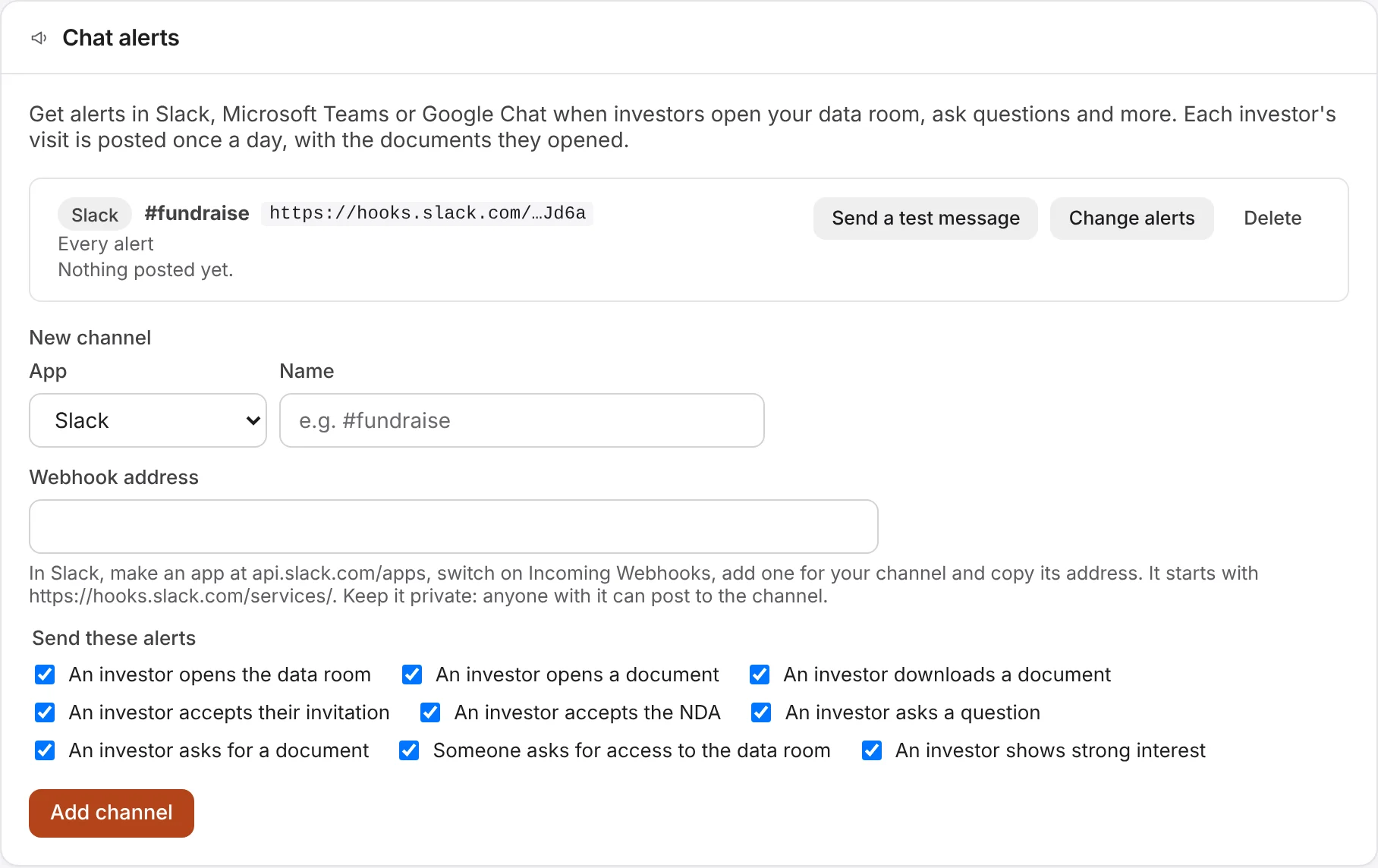
- In Company settings (click your picture at the top right, then Company settings), under Chat alerts, then New channel, choose the App, give it a Name, such as #fundraise, and paste the Webhook address.
- Under Send these alerts, untick any you don't want (all are ticked to start with), and choose Add channel.
- Choose Send a test message. "Galley is connected" appears in the channel.
Keep the address private: anyone with it can post to the channel. Galley keeps it encrypted and shows only its end.